Near Desktop
Local-first workspace: Electron UI on top of a local agx serve.
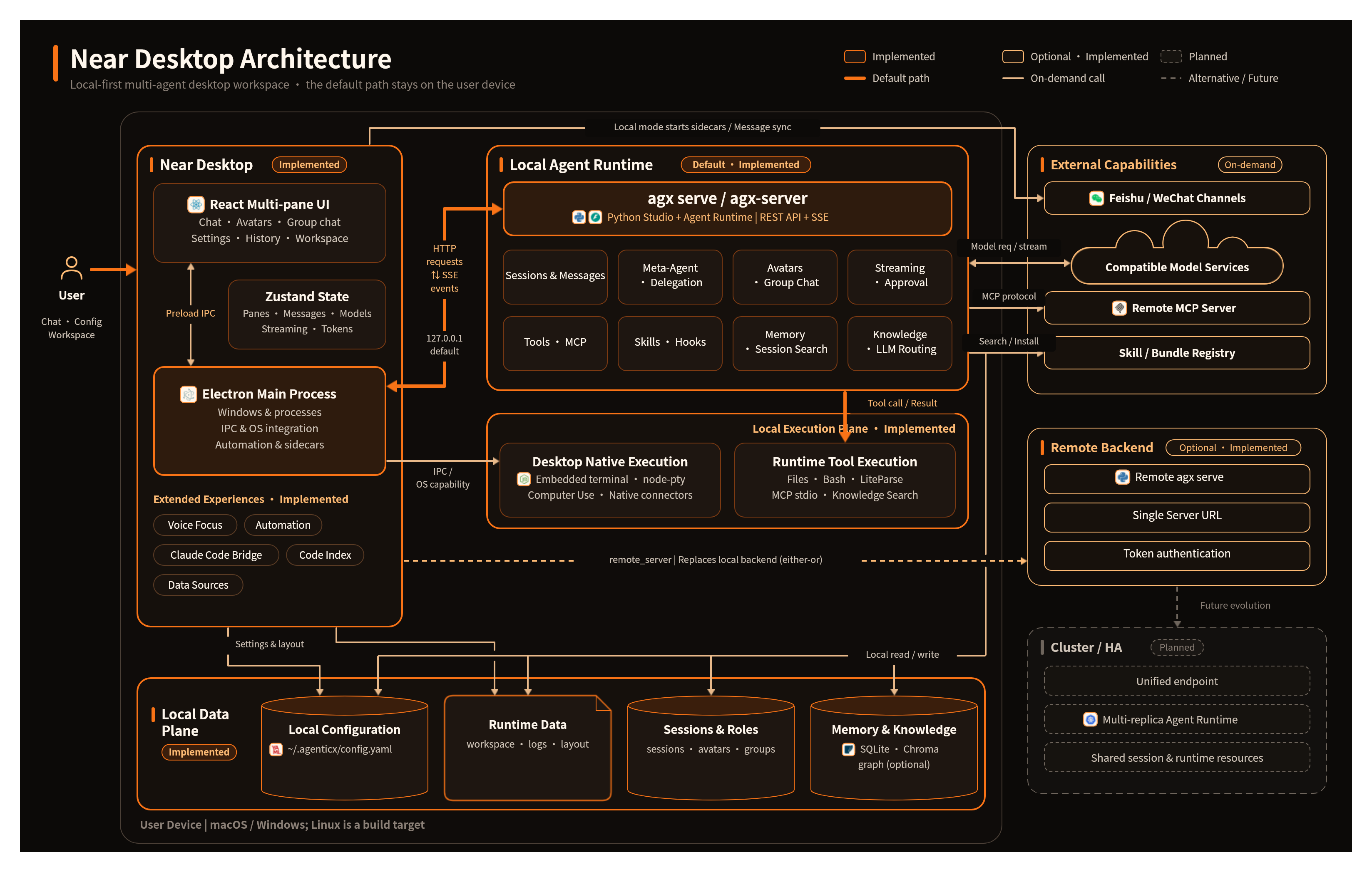
Near is the desktop workspace. It is Electron + React + Zustand + Vite. It is not a second agent runtime. The default path starts a local agx serve / agx-server and talks REST + SSE.
Use Near when you want multi-pane chat, avatars, group chat, a workspace, a terminal, automation, and Voice Focus on your machine. Do not use it as a hosted multi-tenant portal — that is Enterprise.
Boot path
Desktop binds the local backend. A remote agx serve mode is not the default product path. After a successful start, the real port and AGX_DESKTOP_TOKEN are written under ~/.agenticx/.
What ships
- Panes: one session per pane; model choice is per pane, not a global override
- Meta-Agent: unnamed chat goes to Meta;
@nameroutes to that avatar - Group chat: Meta is always a member; smart routing, no mandatory orchestrator picker
- Workspace: folders bind per avatar / Meta;
@fileinserts a token with an absolutesourcePath - Tools: MCP, Skills, Hooks, Computer Use, local knowledge brains
- Automation: scheduled runs use
avatar_idlikeautomation:<task_id>and must not leak into Meta history - Voice Focus: 280×280 capsule; Meta answers; transcript lands in the current Meta session
Session restore
Closing a pane and opening the same avatar should return the last session, not a new one. After lid close / relaunch, panes and the last sessions should come back from local workspace state.
Worked example: two panes and an @file
Scene. You are reviewing a repo with Meta, then hand a file to a researcher avatar.
- Open Near. Confirm
~/.agenticx/serve.portis live. - Keep Meta in the first pane. Ask it to outline the review.
- Open the researcher avatar in a second pane (or @ them in a group). Model choice stays on that pane.
- In the workspace panel, bind the repo folder to that avatar. Click a file so the input inserts an
@file[name](absolute path)token.sourcePathmust stay absolute. - Send. The avatar should call
file_read/liteparseon the real path, not only~/.agenticx/avatars/<id>/workspace.
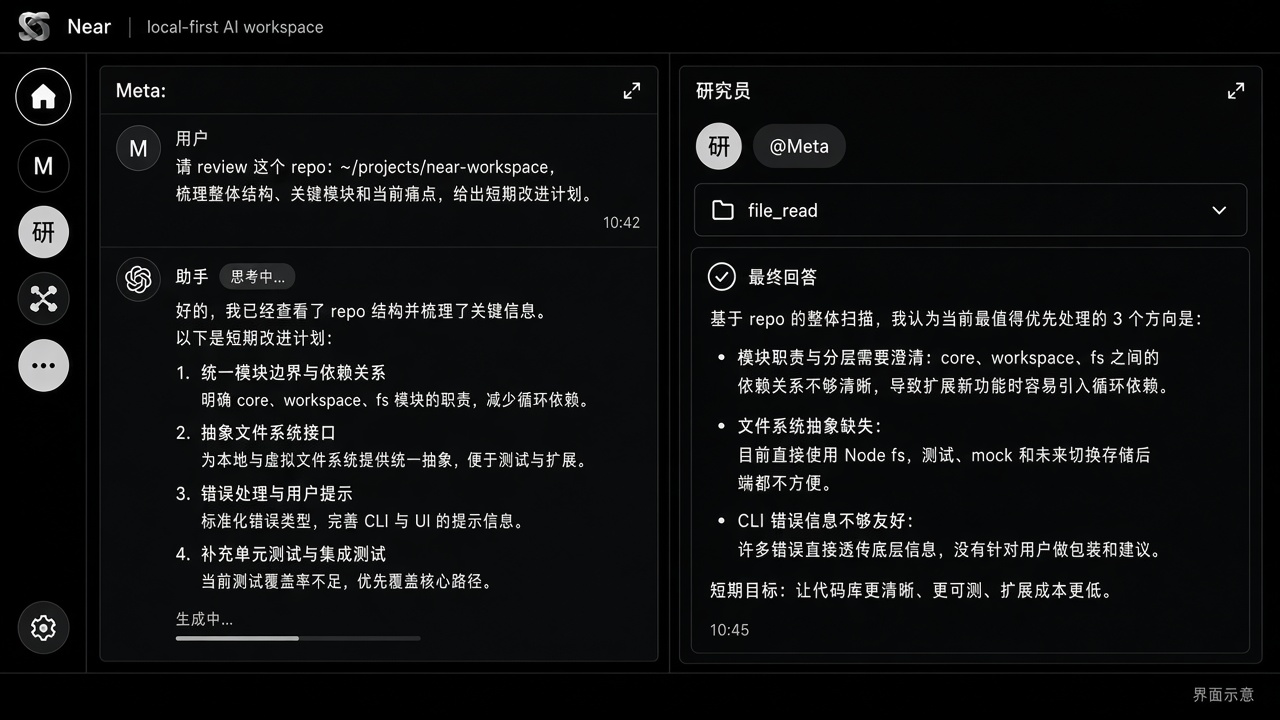
What you should see. Two panes, independent model pills, a blue file token above or inside the input, a folded tool card, then an answer. Closing the avatar pane and reopening it should restore this session, not create a blank one.
Related
- Architecture — product stack
- Studio Server — the process Near attaches to
- Agent Runtime — the loop behind SSE