Orchestration
Orchestration engine in AgenticX.
Orchestration
Use orchestration when several agents or steps must run in a fixed or conditional order. Do not use a graph for a single chat turn — that is AgentRuntime.run_turn.
Two complementary APIs:
- Graph workflows — explicit DAG (
Workflow,Node,Edge) - Flow decorators — a Python pipeline (
@flow,@step); see Flow
Worked example: @ in a group, not a fake team constructor
Scene. In a Near group, you want the researcher to scan issues. You do not construct AgentTeamManager(agents=[...]).
- Create a group (Meta is implicit). Type
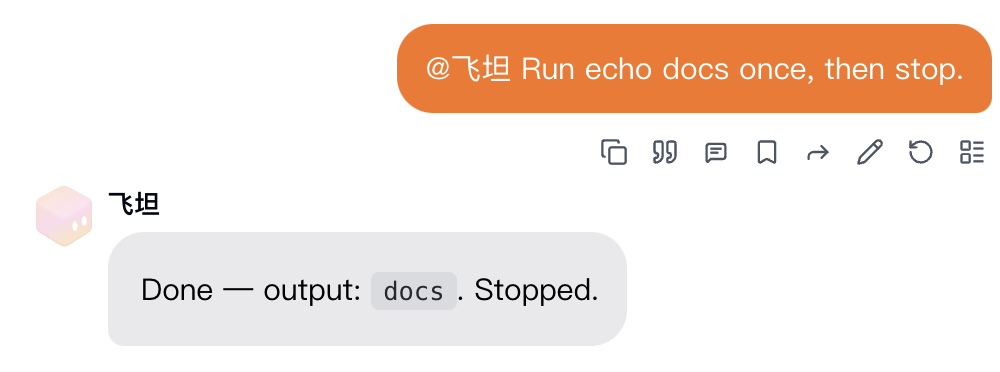
@研究员 把未关闭 issue 扫一遍. group_routershould send that turn to the named member. Their reply talks to you, not a courtesy ping to Meta.- Progress (“received / calling tool / done”) folds into one card for that avatar.
- If you skip
@but the text clearly names their job, routing should still prefer that member. Otherwise Meta plans ordelegate_to_avatar.
What you should see. One researcher thread, one progress card, a final answer. delegate_to_avatar runs in that avatar’s real session so history is on the avatar, not a shadow spawn.
SDK graphs (Workflow / Flow) are for in-process pipelines. They are not how Near group chat is wired.
Graph-based Workflow
python
1from agenticx.flow import Workflow, Node, Edge23workflow = Workflow(id="research-pipeline")45# Define nodes (each node is an agent task)6fetch = Node(id="fetch", agent=fetch_agent, task=fetch_task)7analyze = Node(id="analyze", agent=analyze_agent, task=analyze_task)8report = Node(id="report", agent=report_agent, task=report_task)910# Define edges (data flow)11workflow.add_edge(Edge(source="fetch", target="analyze"))12workflow.add_edge(Edge(source="analyze", target="report"))1314result = workflow.run()
Conditional Routing
python
1from agenticx.flow import ConditionalEdge23def route_based_on_result(output):4 if output.confidence > 0.8:5 return "publish"6 else:7 return "review"89workflow.add_edge(10 ConditionalEdge(11 source="analyze",12 condition=route_based_on_result,13 targets={"publish": publish_node, "review": review_node}14 )15)
Parallel Execution
python
1from agenticx.flow import ParallelNode23# Run multiple agents concurrently4parallel = ParallelNode(5 id="parallel-research",6 nodes=[fetch_news, fetch_papers, fetch_code],7 merge_strategy="concat"8)9workflow.add_node(parallel)
Flow Decorators
For simpler pipelines, use the @flow decorator system:
python
1from agenticx.flow import flow, step23@flow4class ResearchPipeline:56 @step7 def fetch_data(self, query: str) -> str:8 return self.fetch_agent.run(query)910 @step11 def analyze(self, data: str) -> dict:12 return self.analyze_agent.run(data)1314 @step15 def generate_report(self, analysis: dict) -> str:16 return self.report_agent.run(analysis)1718pipeline = ResearchPipeline()19result = pipeline.run(query="Latest AI research")
Execution Plans
For complex multi-step tasks, use execution plans:
python
1from agenticx.planner import ExecutionPlan, PlanStep23plan = ExecutionPlan(4 steps=[5 PlanStep(id="1", description="Gather requirements", agent=analyst),6 PlanStep(id="2", description="Design architecture", agent=architect, depends_on=["1"]),7 PlanStep(id="3", description="Implement features", agent=developer, depends_on=["2"]),8 PlanStep(id="4", description="Write tests", agent=tester, depends_on=["3"]),9 ]10)1112results = plan.execute()